✨ New · Ask Squaddie
Your AI sports coordinator.
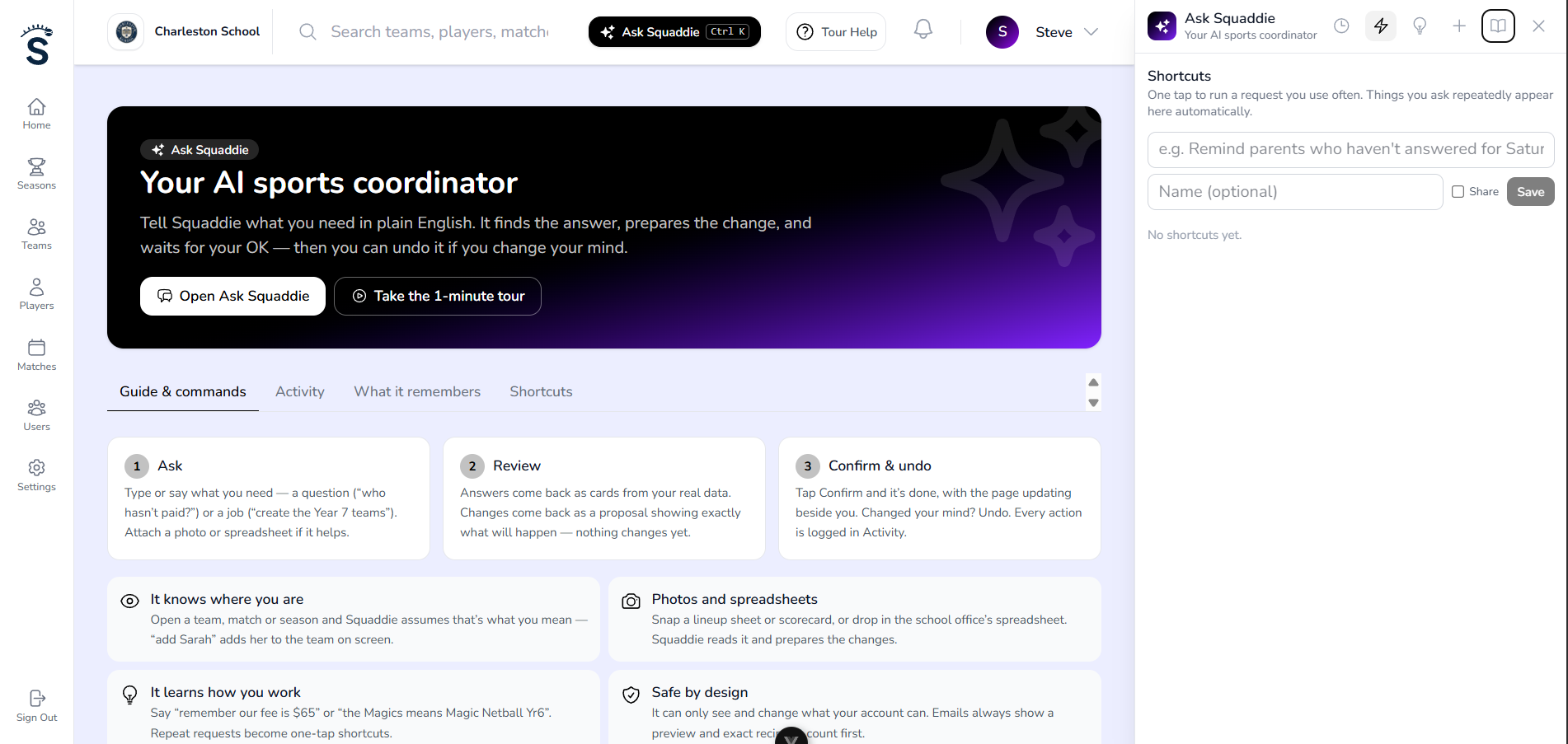
Tell Squaddie what you need. It finds the answer, builds the team, records the result or drafts the email — then waits for your OK. Run your whole sports programme by simply asking.
Built into Squaddie on web and mobile · For school coordinators, club admins and coaches
Ask Squaddie
👀 Looking at Teams
Create a new netball team called Year 6 Hawks with these 9 players, and a match this Saturday 9am at Hutt Rec
Here’s everything ready to go — one tap creates it all.
Create Year 6 Hawks + first match
Ready to confirm- New team · Year 6 Hawks (Netball)
- Players · Mia, Aroha, Jess, Lily + 5 more
- Match · Sat 9:00am · Hutt Rec
See it in action
Right beside the page you’re working on.
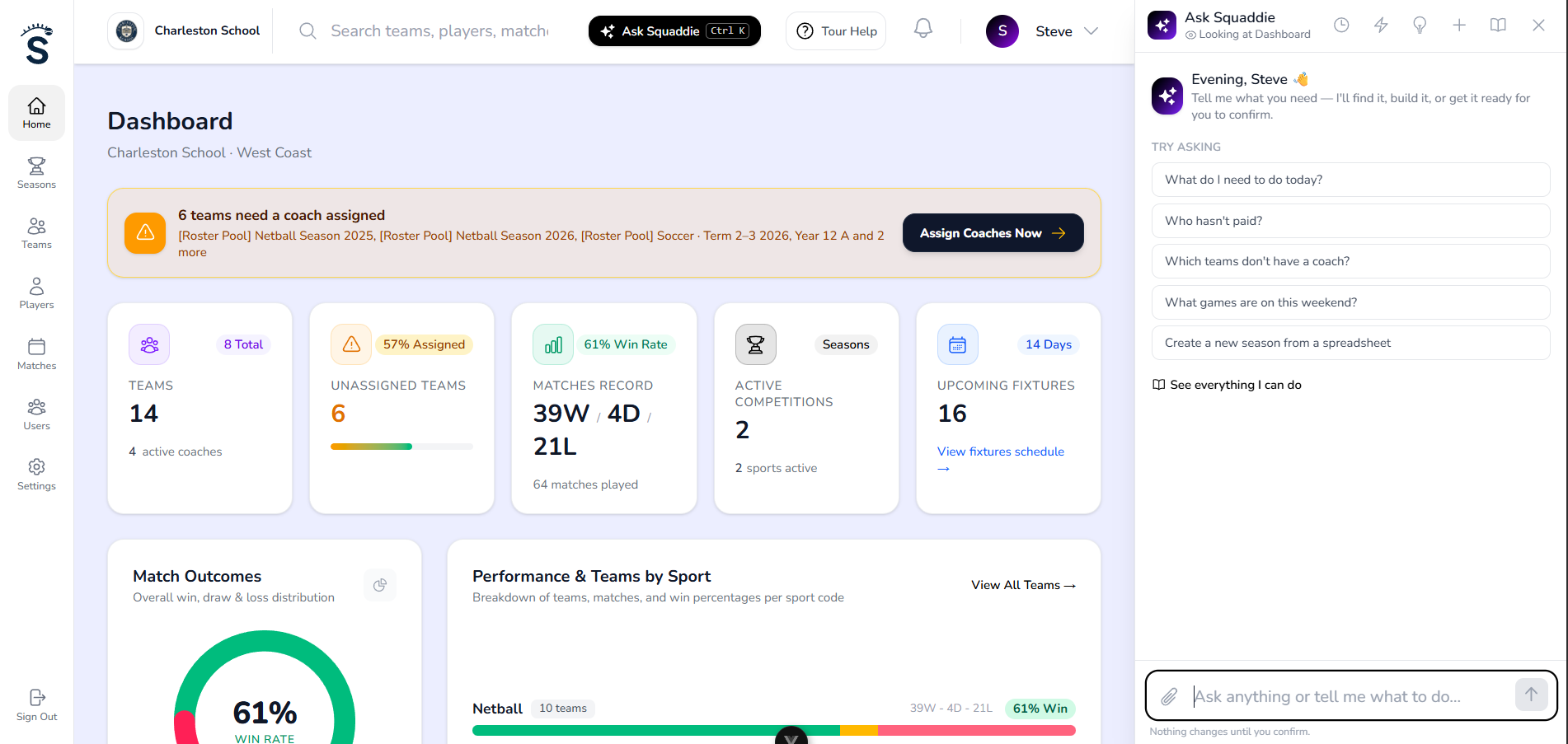
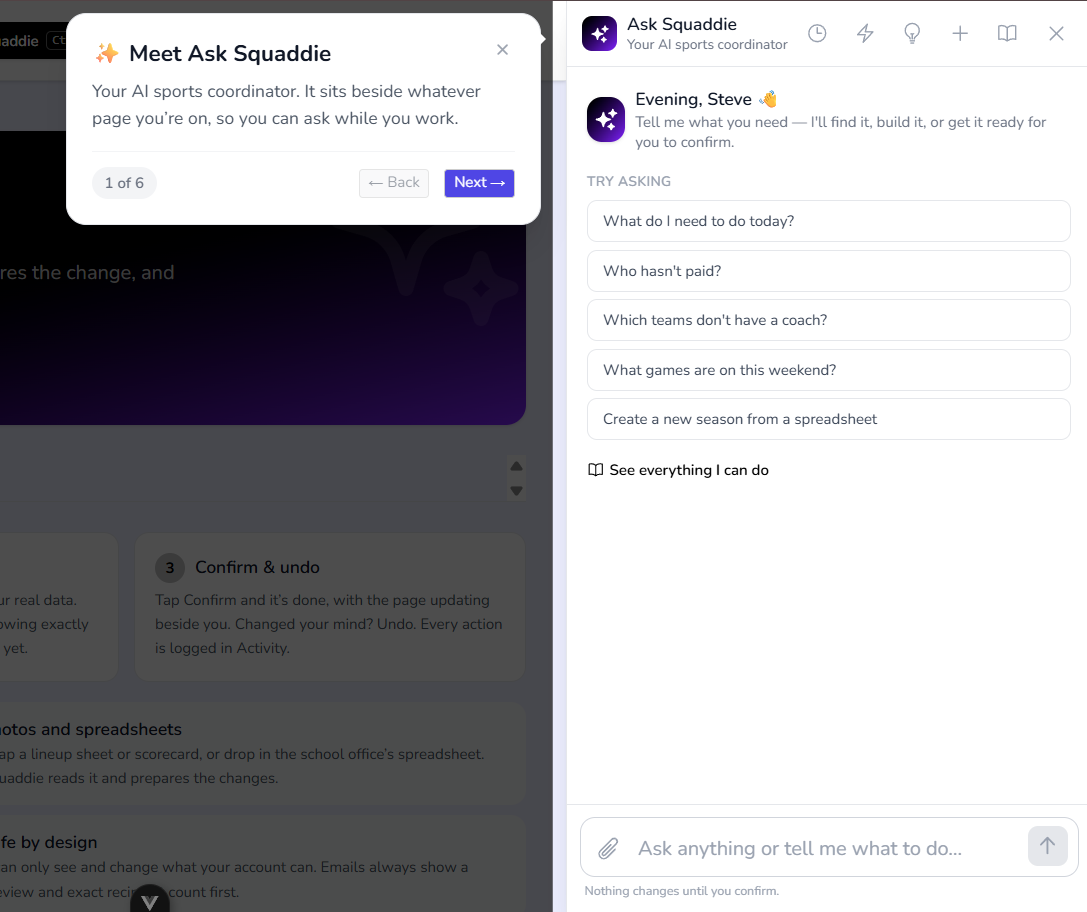
Ask Squaddie docks next to your dashboard like a browser side panel — it knows what’s on screen, and the page updates the moment you confirm a change.
Not another chatbot
Stop clicking through menus. Just ask.
Ask Squaddie is an operating layer over everything in Squaddie — teams, players, fixtures, results, lineups, registrations and messages. It doesn’t just answer; it does the admin, safely.
Old way
Teams → Add team → Pick sport → Pick season → Type name → Save → Players → Add → Add → Add → Matches → New…
With Ask Squaddie
“Create a Year 6 netball team with these players and a match this Saturday at 9am at Hutt Rec.”
One card. One tap. Team, players and match — done.
Three layers
Ask. Do. Think.
Ask
Answers from your live data — not guesses.
- “Who hasn't paid?”
- “How many times has Jane played GK?”
- “What are our netball stats this season?”
Do
Creates, records, schedules and sends — after you confirm.
- “Add Joe Soap to the Magics”
- “Score was Magics 18, Thunder 12”
- “Tell Year 7 parents training moved to Wednesday”
Think
Spots problems and plans ahead before you ask.
- “What do I need to do today?”
- “Is anything wrong with my season?”
- “Split 42 players into 3 balanced teams”
🏫
For sports coordinators
Run every team, every sport, from one sentence.
- ✓Set up a whole season from the school office’s spreadsheet
- ✓Daily briefing: missing coaches, venues, results, unpaid fees and clashes
- ✓Balanced team selection with a review step before anyone moves
- ✓Registration drafts, payment reminders and season reports for the principal
- ✓An activity log of everything it did — and who asked
📣
For coaches — on the sideline
Everything Squaddie does for fair play, by voice or a quick tap in the app.
- ✓Snap last weekend’s lineup sheet and the score — it records both
- ✓Fair lineups that balance season minutes and positions
- ✓“What position is Jane due to play next?” answered with the reason
- ✓Availability reminders to only the parents who haven’t answered
- ✓Notes saved to the right team in seconds
Show it, don’t type it
Photos and spreadsheets in. Finished admin out.
📸
Lineup sheet → recorded lineup
Photograph the handwritten sheet from the weekend. Squaddie reads who played where each quarter and saves it with the result.
📊
Spreadsheet → whole season
Drop in the office’s .xlsx. Squaddie maps the columns and sets up the season, teams, players, coaches and fixtures in one go.
📝
Team list → roster
Paste names or snap a photo of a team list. New players are added to the right team — duplicates flagged first.
Safe by design
AI that never goes rogue with your data.
School sport is children’s data. Ask Squaddie was built for that from day one.
✅ Nothing changes until you confirm
Every change comes back as a card showing exactly what will happen. Emails show the message and exact recipient count first.
↩️ Undo
Created the wrong team or moved the wrong player? One tap puts it back.
🔐 Your permissions, always
It can only see and do what your account can. Coaches only ever reach their own teams.
🏫 Your data stays yours
Each school’s data is kept separate. It never learns from or shares one organisation’s data with another.
📜 Full activity log
Every AI action is recorded — what changed, when and who asked — so coordinators always have the paper trail.
🙈 Private by default
Parent emails and phone numbers are never shown in chat. Messages go out from the server, not the AI.
Gets smarter the more you use it
It remembers how your school works.
Tell it once — “our fee is usually $65”, “the Magics means Magic Netball Yr6”, “Saturday games are at Field 2” — and it uses that from then on. Requests you repeat become one-tap shortcuts, and common questions get answered faster for everyone.
Questions
What is Ask Squaddie?
Ask Squaddie is an AI sports coordinator built into Squaddie. You type (or say) what you need — a question or a job — and it answers from your real data or prepares the change for you to confirm.
Can it change things without me knowing?
No. Every change is shown to you first as a card with exactly what will happen, and only runs when you press Confirm. Most changes can be undone, and everything is recorded in the activity log.
Does it work on the Squaddie app?
Yes. Coaches and admins can open Ask Squaddie from any screen in the mobile app, including taking a photo of a lineup sheet or scorecard.
Can coaches see other teams’ players?
No. Ask Squaddie uses the same permissions as the rest of Squaddie: coaches only reach their own teams, and admins only their own school or club.
Is my school’s data used to train AI?
No. Your data is used only to answer your requests. Squaddie never shares one organisation’s data with another.
How much does it cost?
Ask Squaddie is included with paid school, club and coach plans. Free accounts can try it with a monthly allowance of requests.
Run your sports programme by simply asking.
Ask Squaddie is built into Squaddie for schools, clubs and coaches — on the web and in the app.